seveibar/wifi-test-board-1
A tscircuit package created by seveibar.
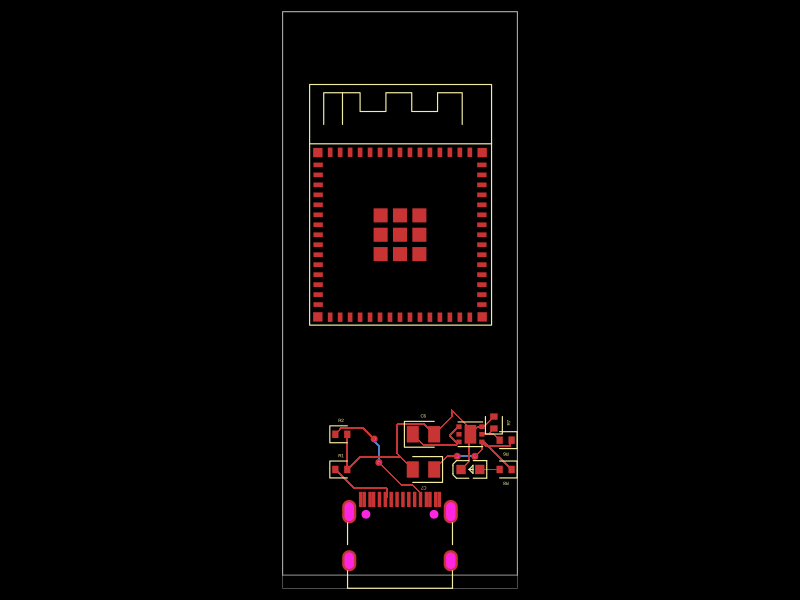
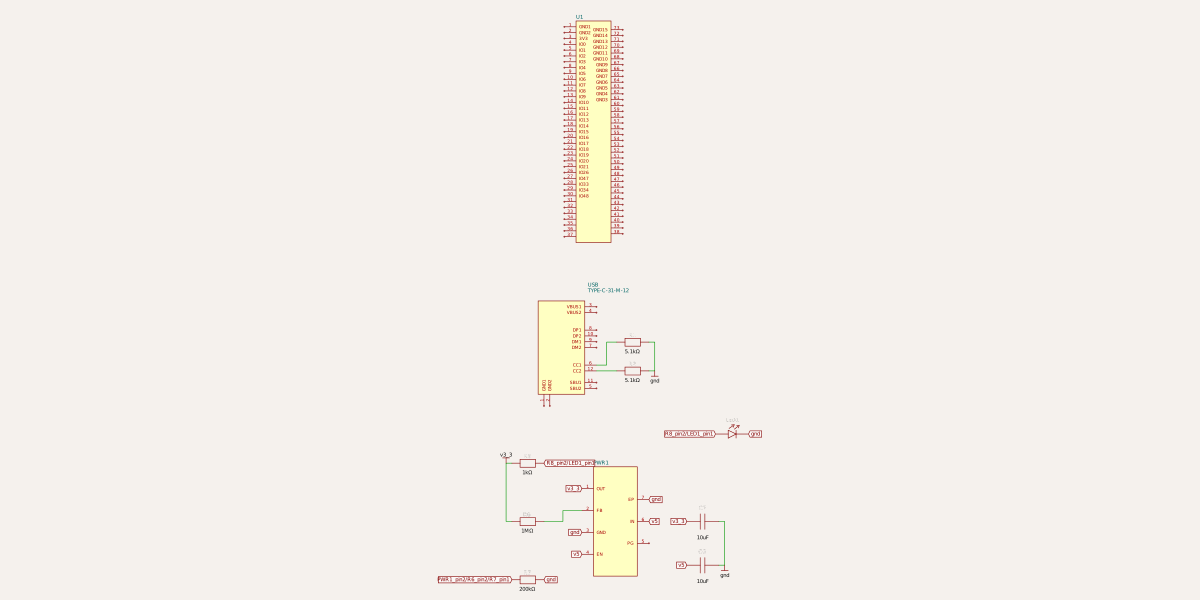
Usage: To use "@tsci/seveibar.wifi-test-board-1" in a project: 1. Import the component: ```tsx import WifiTestBoard from "@tsci/seveibar.wifi-test-board-1" ``` 2. Use the component in your React/tscircuit layout: ```tsx export default () => ( <board> <WifiTestBoard /> </board> ) ``` The component includes a USB-C connector, ESP32-S3 MINI module, 5V to 3.3V regulator, and pull-down resistors for USB-C configuration.
- Version
- 0.0.1
- License
- unset
- Stars
- 1
index.ts
PCB
Schematic
import { Reg5vTo3v3 } from "@tsci/seveibar.reg-5v-to-3v"
import { useESP32_S3_MINI_1_N8 } from "@tsci/seveibar.esp32-s3-mini-1-n8"
import { useUsbC } from "@tsci/seveibar.smd-usb-c"
import { useResistor } from "@tscircuit/core"

export default () => {
  const Usb = useUsbC("USB")
  const Esp32 = useESP32_S3_MINI_1_N8("U1")
  const R1 = useResistor("R1", { resistance: "5.1k", footprint: "0402" })
  const R2 = useResistor("R2", { resistance: "5.1k", footprint: "0402" })

  return (
    <board width="20mm" height="48mm" schAutoLayoutEnabled>
      <Usb
        pcbY={-20}
      />
      <Esp32 pcbY={5} />
      <Reg5vTo3v3 pcbX={2} pcbY={-12} />
      <R1 pcbX={-5} pcbY={-15} pin1={Usb.CC1} pin2="net.gnd" />
      <R2 pcbX={-5} pcbY={-12} pin1={Usb.CC2} pin2="net.gnd" />
    </board>
  )
}