abse/smart-ring-flex
A tscircuit package created by abse.
- Version
- 0.0.24
- License
- unset
- Stars
- 0
firmware/onboard-programmer/upstream/tools/readme.md
# Programming the MCU using the factory built-in USB Bootloader
## Installing Drivers for the Bootloader
On Linux you do not need to install a driver. However, by default Linux will not expose enough permission to upload your code with the USB bootloader. In order to fix this, open a terminal and run the following commands:

```
echo 'SUBSYSTEM=="usb", ATTR{idVendor}=="4348", ATTR{idProduct}=="55e0", MODE="666"' | sudo tee /etc/udev/rules.d/99-ch55x.rules
sudo udevadm control --reload-rules
```

For Windows, you need the [CH372 driver](http://www.wch-ic.com/downloads/CH372DRV_EXE.html). Alternatively, you can also use the [Zadig Tool](https://zadig.akeo.ie/) to install the correct driver. Here, click "Options" -> "List All Devices" and select the USB module. Then install the libusb-win32 driver. To do this, the board must be connected and the microcontroller must be in bootloader mode.

## Entering Bootloader Mode
The bootloader must be started manually for new uploads. To do this, the board must first be disconnected from the USB port and all voltage sources. Now press the BOOT button and keep it pressed while reconnecting the board to the USB port of your PC. The chip now starts in bootloader mode, the BOOT button can be released and new firmware can be uploaded via USB. Alternatively, you can leave the board connected to the USB port, press and hold the BOOT button, press and release the RESET button and then release the BOOT button to enter the bootloader mode.

## WCHISPTool
WCH offers the free but closed-source software [WCHISPTool](https://www.wch.cn/downloads/WCHISPTool_Setup_exe.html) to upload firmware with Windows via the USB bootloader.

## chprog.py
You can also use chprog.py, a simple Python tool provided in this folder, to flash the microcontroller via the built-in USB bootloader. In order for this tool to work, Python3 must be installed on your system. To do this, follow these [instructions](https://www.pythontutorial.net/getting-started/install-python/). In addition [PyUSB](https://github.com/pyusb/pyusb) must be installed. On Linux (Debian-based), all of this can be done with the following commands:

```
sudo apt install python3 python3-pip
python3 -m pip install pyusb
```

```
Usage example:
python3 chprog.py firmware.bin
```

## Alternative Software Tools
- [isp55e0](https://github.com/frank-zago/isp55e0)
- [wchisp](https://github.com/ch32-rs/wchisp)
Related Packages
 More from this authorabse/museair-usb-assemblyA mechanically secured SEN62 sensor carrier integrates a JLC PCB, bound GH6 harness, USB power cable, fasteners, retention hardware, and protective outer enclosure.
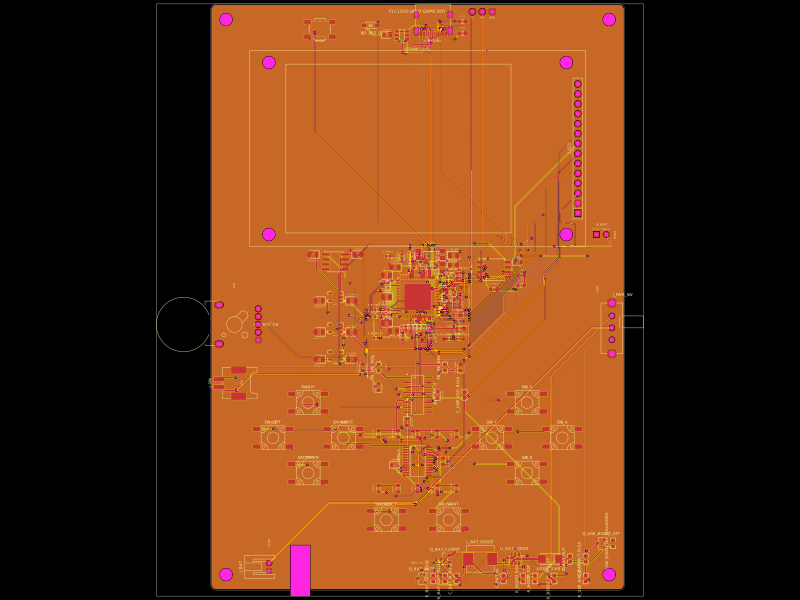 Discover something newShiboSoftwareDev/f1c100s-linux-gameboyRestores PCB assembly metadata by assigning part numbers, managing 3D CAD models and orientations, removing test-point bodies, and validating top-side SMT solder-paste features.